As I sit here reading over the specs of the new iPhone Jumbo, and look at the guy next to me gazing deeply into his Kindle, I can’t help but wonder whether Steve and Jeff’s ultimate vision for my living room isn’t a padded white cell filled with clear goo, with me suspended in the center, slowly poking at a sleek, silver tablet that dispenses entertainment, oxygen and waste management services. I have some vague concerns about the jacking-in process, but what really bothers me about such a future is this: what happens when my friends come over? Or my kids get a little older? How will they know what books and music are important to me, not just at the moment of my last Facebook update, but in my life up until now? Apple’s solution is likely to be a stunning, incredible, truly revolutionary user interface that looks kinda like the opening credits to Star Wars, from which you can fly through space and time, all the way back to June 19th, 2007, when dad’s Playlist-on-the-Go™ briefly included “Lip Gloss” and the eBook at the top of his Wish List was If I Did It (three year AT&T MobileGoo contract for friend/kid not included). I don’t think I’m just being a crotchety Luddite when I say:
The fact is, if you want to get a quick sense of what a person is about, you can’t beat walking into their house and spending a few moments browsing their living room shelves. The best stuff, like say, Edward Tufte’s 12-color-printed, foldouts-galore Visual Explanations, or Moldover’s circuit board instrument CD, or Cheech and Chong’s rolling-paper-included Big Bambu, always yearns to be picked up and examined, and I think, points to a basic human desire to interact with physical objects. Holding them can feel good, and a talented designer can arrange their atoms in all sorts of pleasing ways that are impossible to achieve with bits alone. Not that we should all erase our hard drives, chuck our routers out the window and replace our iTunes libraries with vinyl. But for the music and books that are really important to us, possessing our own physical versions of those works allows us to express who we are. And when those physical versions are well-made, when they are true artifacts, owning them becomes a source of joy.
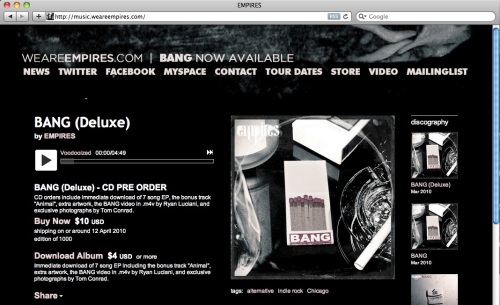
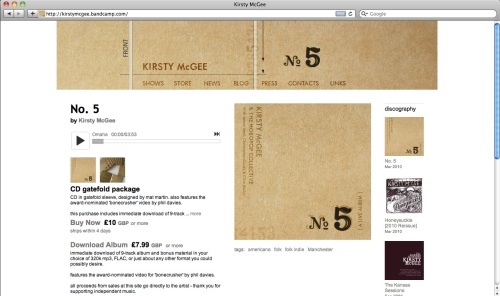
 This belief in the fundamental value of physical goods recently led us to enable artists to sell merchandise side-by-side with digital music on Bandcamp. Of course, it’s one thing to talk about the importance of offering a physical product to your fans. It’s an entirely different thing to actually do it. And so, in the grand tradition of eating your own dog food, we picked two great, independent artists on Bandcamp who already had strong digital sales but no physical offering, we produced physical packages for both of them, and starting today, we’re selling the first of these packages under our newly-formed unlabel, BCWax (more on its un-ness later). You can listen to and buy it right here.
Besides dogfooding, our other big motive for creating BCWax is to demonstrate what we feel is the right way to make physical goods, and hopefully encourage some artists to emulate our methods. Too many bands nowadays seem to go about the production of their merch with the sole objective of fulfilling fans’ perceived format preferences, and end up with lackluster products that offer no advantages over a download. It’s an unfortunate mindset (fueled by the rise in print-on-demand services) which in our opinion entirely misses the point. Yes, the world still contains a few people who want their music on CD or vinyl simply because it’s CD or vinyl. However, we’re fast approaching the point at which the convenience of digital files is preferred by everyone, and in order to sell, the physical version must offer something the digital does not. It must somehow be made into an object that every one of your fans has to own, has to hold while they listen to your music, and has to show to all of their friends. It must be transformed from a disposable good into something your fans will fetishize.

BCWax’s first release, Love.Life.Ukulele. by Sophie Madeleine, is just such an object. We hope you’ll check it out because above all, it’s wonderful music, but we also hope you’ll take a deeper look because this limited-edition physical package, which includes a killer silkscreened print, mind-bendingly beautiful LP, and high-quality digital download, is a meticulously produced work of affordable art:


A few words about what makes the package so special (best read while listening to it for free or with one eye on Sophie singing the first track, “Take Your Love With Me”:
- This release, like all BCWax releases to come, was designed by Dan Stiles, the force behind striking poster art for Sonic Youth, Arctic Monkeys, Death Cab for Cutie, and Feist, to name but a very few. In the 1950s and 60s, Reid Miles and Francis Wolff created a series of iconic album covers for Blue Note Records, pieces which were themselves gorgeous and unique, yet clearly part of a whole. Fans were driven to collect them all, and ended up exposed to music they might otherwise have never explored. We aspire to this same lofty goal, and think you’ll agree that Dan (who we stumbled upon at last year’s South by Southwest Flatstock show, standing way out from the hordes) is the perfect man for the job.

- The print is not simply a reproduction of the cover art. It’s silkscreened, uses an overprint technique that gives it a sense of depth and texture, includes a silver ink not present on the record jacket, is printed onto sumptuous, 100% recycled French Speckletone paper, and is signed and numbered by Dan. You will want to frame it, and you’ll be free to do so without any do-I-hang-this-jacket-on-my-wall-or-do-I-leave-it-on-my-shelf angst.

- The LP is truly something to behold. Yes, it’s an LP. As in a record. As in vinyl. Not because it sounds better (though it often does), but because of all it allows from a design perspective. A size that allows you to appreciate, not squint at, the cover art. Full lyrics and liner notes right on the sleeve. A die-cut that lets you peek right into the label graphics. And a candy apple red disc that begs to be ogled, handled, and spun around and around.
- This is an enduring object. The sleeve and jacket are printed onto heavy and even heavier paper stocks (respectively), so the tearing and edge splitting common to lousy vinyl production is not present here. The record itself is pressed onto super heavyweight (200 gram) virgin vinyl, which we chose not for audiophile reasons (though some say a heavier record sounds better), but because of the sense of permanence and quality that a stiffer, heavier disc conveys. When you hold it in your hands, you immediately feel that it’s worthy of the music it contains.
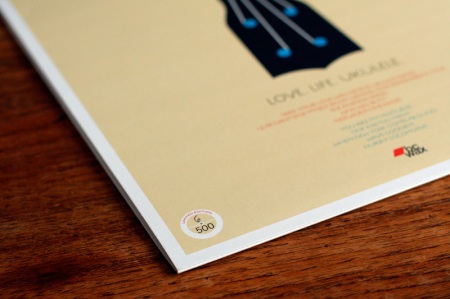
- There are only 500 copies. In an age of infinitely replicable digital goods, part of the attraction of physical items is the knowledge that only a very limited number exist in the world. It’s just more fun to own number 37 of 500 than to own that thing that anyone can get by clicking a link.
- The record sounds terrific. This isn’t a lazy direct transfer of the CD. The tracks were remastered specifically for vinyl, and the record went through multiple test pressings to get the sound just right.
- The digital music files are included. The fact that 99% of the CDs and LPs for sale today don’t come with downloads is beyond comprehension. BCWax records always include the downloads, and in just about whatever format you could possibly want: 320k mp3, FLAC, Ogg Vorbis, Apple Lossless, AAC high/low, or mp3 VBR high/low.
That’s the sort of package I want to buy from all my favorite bands. And really, there’s very little stopping them (or you) from offering it to me. Our biggest expense in putting this together has been time, not money. Time finding a great place to silkscreen the prints (like D&L Screenprinting). Time finding a great place to press the records and print the jackets (like Pirates Press). Time finding a great mastering facility (like Mr. Toads). Time finding a great fulfillment house (like…well, it’s the topic of an upcoming post). And time finding a great designer (that one’s up to you, but starting here worked for us). Now please consider thanking us for all the time we just saved you by grabbing BCWax01 before it’s gone, and then making something brilliant, putting it up for sale on Bandcamp, and telling us about it!
So, we’re launching BCWax because a) we believe in the eternal power of physical goods to delight, and to act as a legacy and means of self-expression for their owner, b) we believe software gets better when the people building it actively use it, and c) we want to demonstrate to others the kinds of goods we ourselves would like to buy. But there’s one final reason we’re doing this, and that’s to test out a different kind of model for a record label.
For BCWax, A&R consists of browsing through aggregate system stats, seeing which bands are exhibiting the early signs of success, giving them a listen, and discovering favorites. Production and manufacturing consists of taking an already excellent recording and coordinating the production of an awesome physical package around it. Distribution is Bandcamp itself. And the record “deal” is nothing more than a co-marketing agreement, where we recoup our manufacturing costs and then share the profits with the artist (but take no ownership rights in the music). It’s a model that diverges enough from a traditional label role that it seems wrong to even call it a label. “Unlabel” maybe? Yeah, OK, maybe not.
We hope you’ll collect BCWax releases because first and foremost, they’re great albums and great physical packages. But we also hope you’ll pick them up because you believe in a world where motivated, independent artists can make a living selling directly to their fans, with little outside help. Thank you, get Sophie’s record right here, and watch this space for BCWax02.
P.S. Bandcamp blog readers may enter the discount code “damn” at checkout to receive 15% off BCWax01. As in, Damn, we can’t believe you read this far.
P.P.S. Discount code? What? Yep, we’ve just launched discount codes in support of this release, as well as a merch management table and fulfillment partner accounts. Enjoy!